Phone Number Verification
This page explains how a person requests an SMS verification code in the MOOX mobile app. It is an explanation of that app flow, not a working web form. No code is sent from this page.
Actual MOOX mobile opt-in screen
This screenshot is from the MOOX mobile app on an iPhone. A person enters their phone number and sees the SMS disclosure before selecting Send code. Selecting Send code requests and consents to a one-time SMS for authentication or security verification, not marketing.
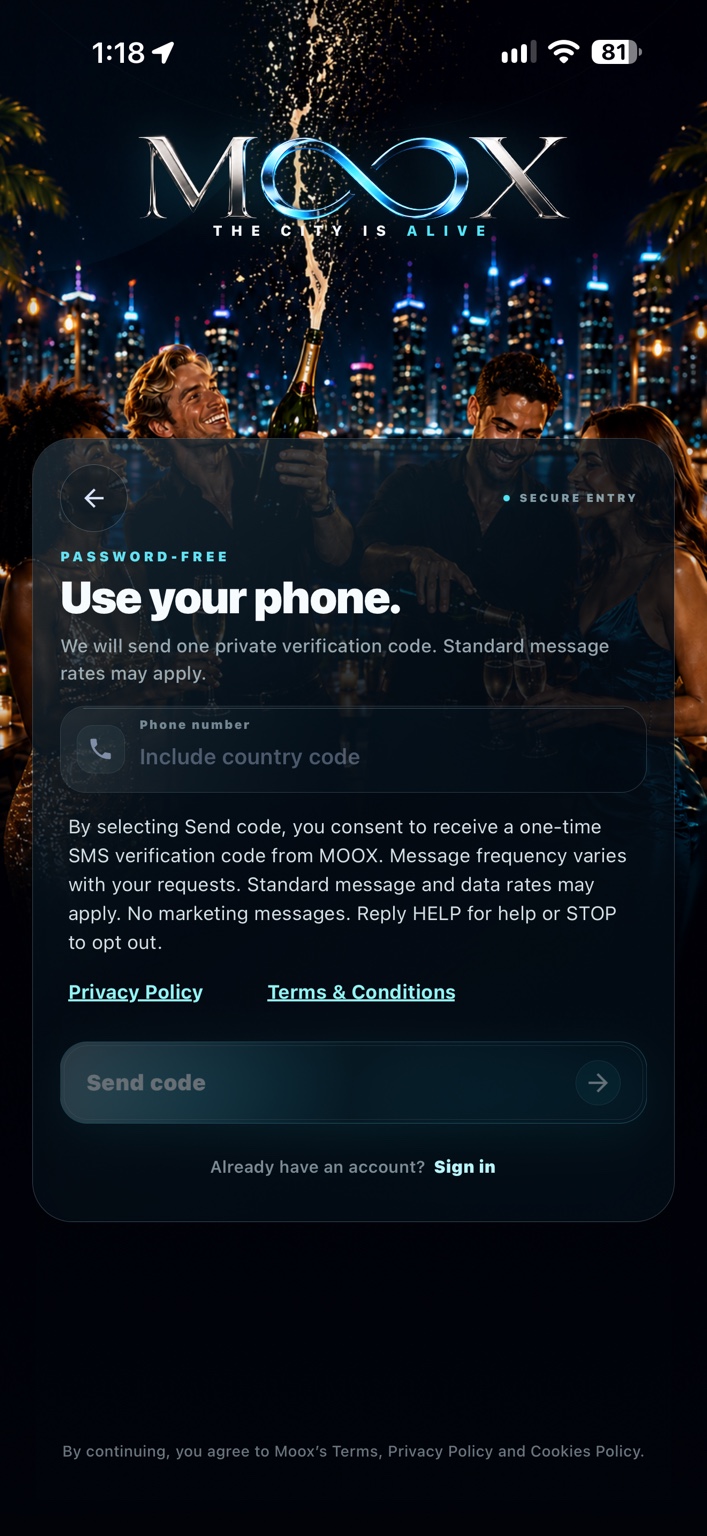
Illustration of the mobile app screen — not an interactive form
By requesting a verification code, you consent to receive an SMS from MOOX containing a one-time verification code. Standard message and data rates may apply. Message frequency varies based on your verification requests. No marketing messages. Reply HELP for help or STOP to opt out. Review our Privacy Policy and Terms & Conditions.
How consent works
- In the MOOX mobile app, the person voluntarily enters their own phone number.
- The person explicitly selects Send code. Entering a number alone does not request a message.
- Only after that action, MOOX requests a one-time SMS code for phone verification or authentication.
There is no prechecked consent box. This code request is not consent to receive marketing or offers. To stop messages from the sending toll-free number, reply STOP; for help, use the contact form on getmoox.com. Do not share your verification code through the contact form.